How to search for mineral claims in Nova Scotia
The Nova Scotian government has always owned the rights to minerals in the ground on your property. As a property owner, you have the right to refuse mining companies access to your property. Recent legislation has now increased the chances that you will be fined $100,000 for refusing exploration and mining companies access to your land. Bill 193 clauses 33-37.
Want to know if someone has taken out a claim on your property? Follow these steps:
1
Find your PID (Parcel Identification Number).
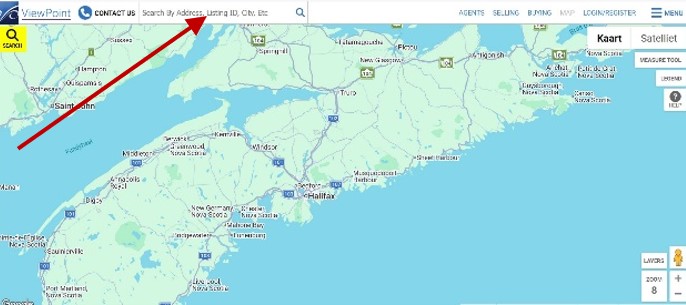
If you don’t know your PID, go to the ViewPoint website https://www.viewpoint.ca/map and type in your address in the search area. Your PID is an 8-digit number.
2
.
Go to the NovaRoc website https://novaroc.novascotia.ca/novaroc/page/home.jsf
Using the NovaRoc search and interactive map functions is free. You can also register with NovaRoc. That is free too.
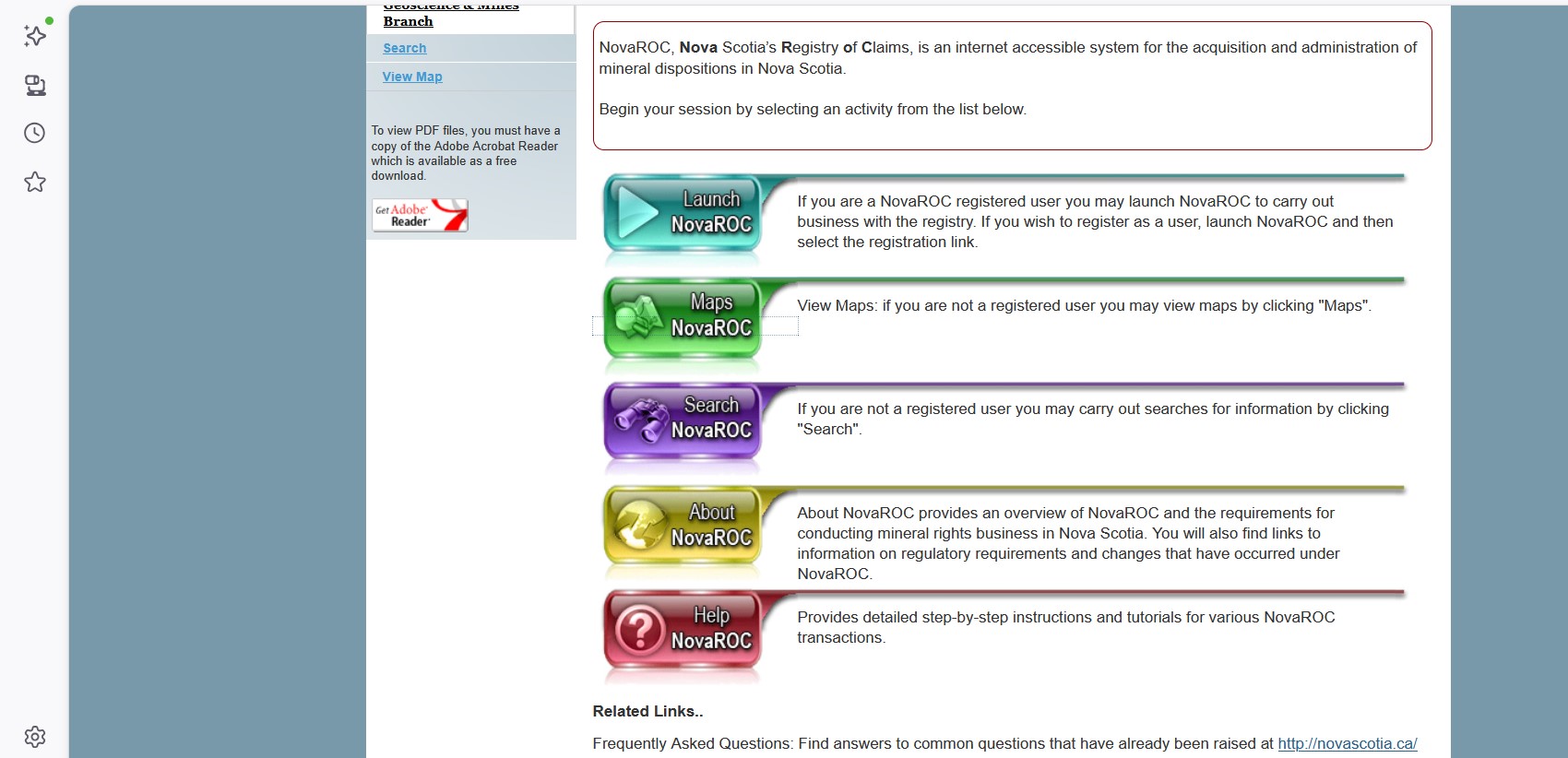
To search for any current licenses on your property, click the bright green button labelled “Maps NovaRoc”
3
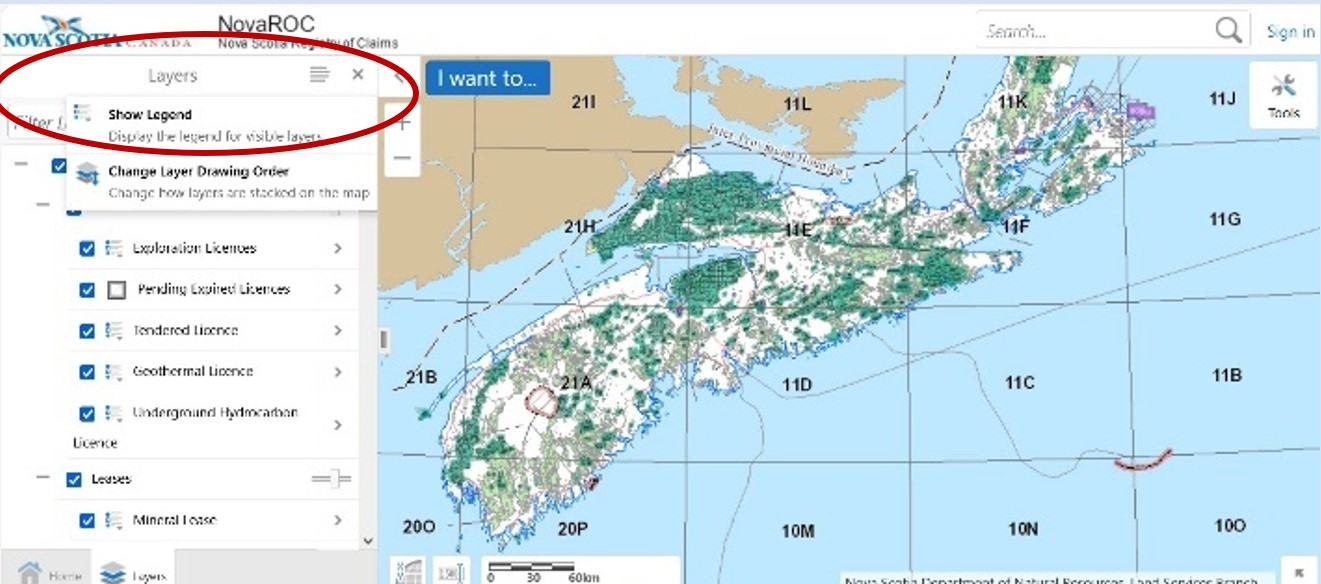
The “Maps “ button will bring you to this page. Be patient. It can take a while for the map to load. You may get an error message that some data can’t be loaded. Klick “ok”.
To find the map’s “Legend” explaining what each colour represents, go to the box at the top left (Layers) and click on the parallel lines icon. Select the top option “Show Legend”. The list explaining the colours will appear. You will have to zoom in to see all the layers.
4
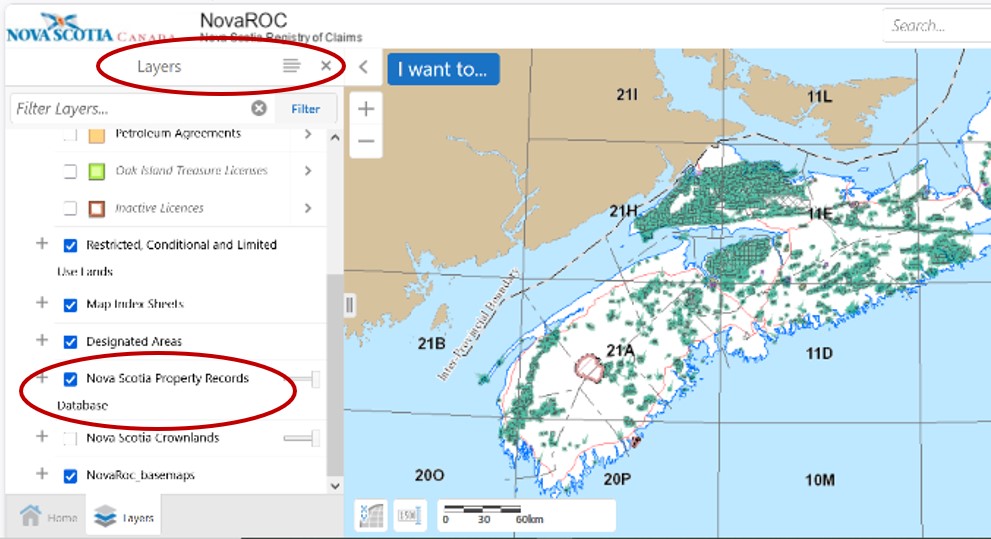
Next, close the Legend (click on the “x”) and click on the three lines again. Select “Show layers list” to display all the possible types of claims and licenses. Choose the information you want to see. You will have to zoom in to see layers appear and disappear as you click through the options and types of claims.
Important: check the “Nova Scotia Property Records Database” to display the PID information. Now your PID will appear on the map. (there is no Search by PID function)
5
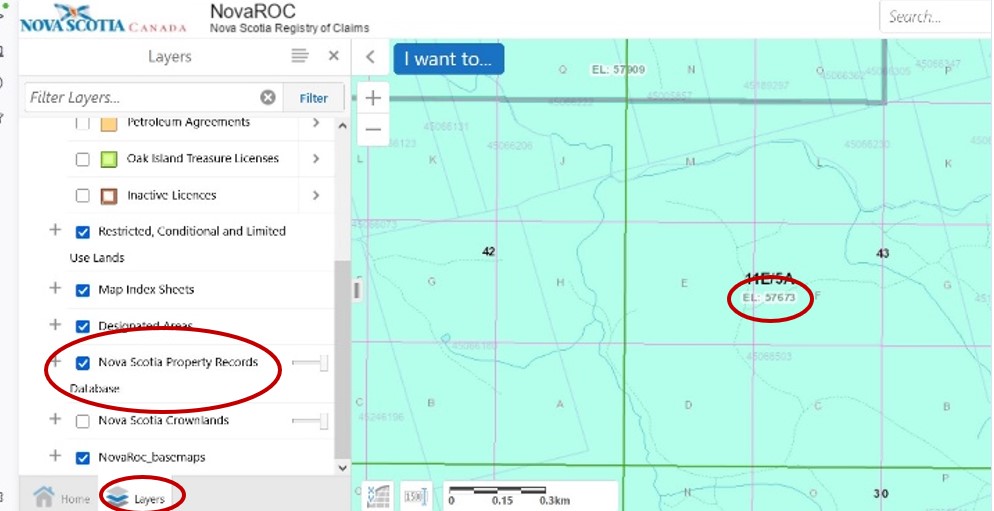
Zoom in to find your property. It will look like this:
The PID number is shown very faintly on the map.
If your property is covered in a colour, a claim may have been staked on your land. Note the 5-digit number and go to step 6 to find out more about the registered claim.
6
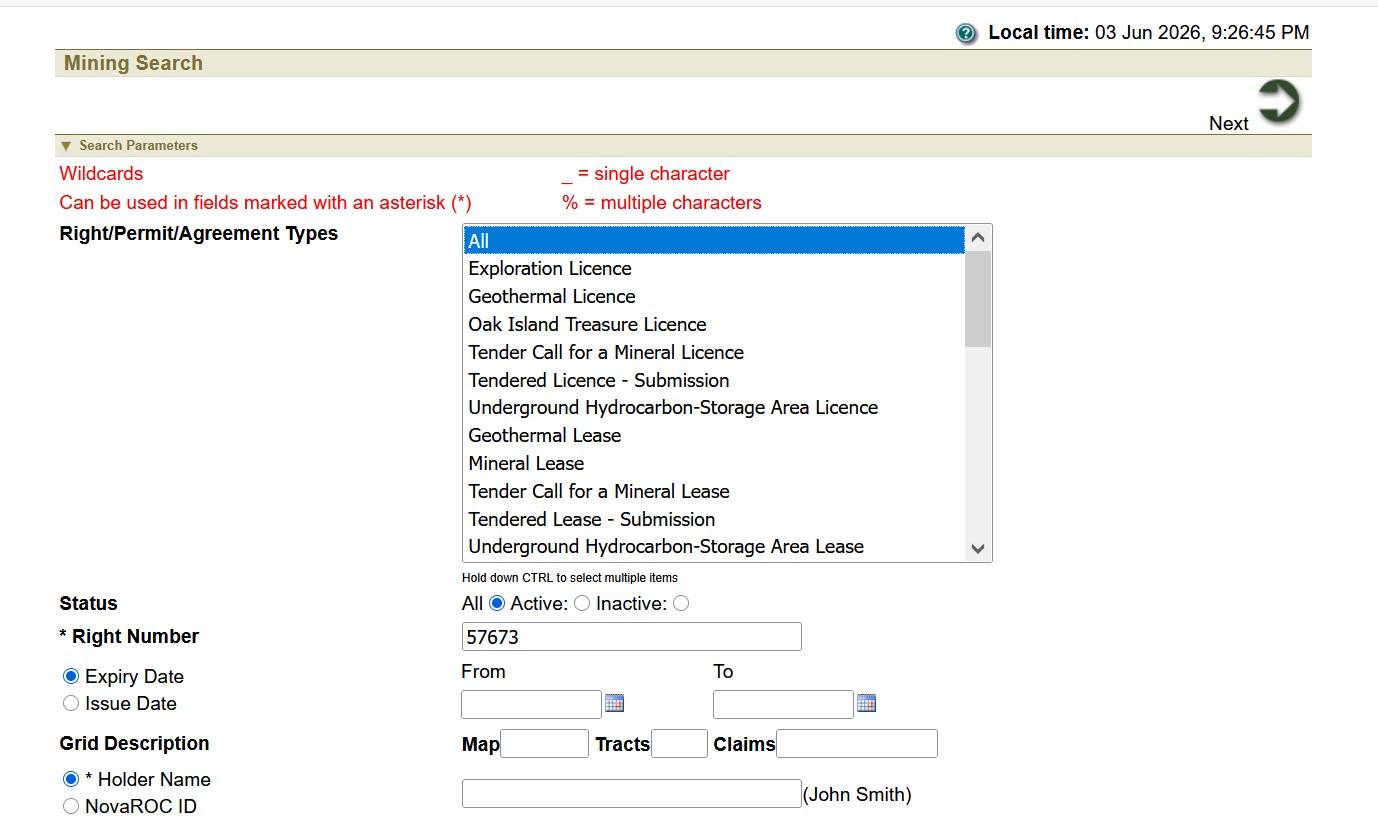
Go back to the NovaRoc homepage and select “Search NovaRoc” (the purple button). It will take you to the search page:
a. Type the 5-digit number (from Step 5) in the “Right Number” box. Be sure that “All” is selected in the permit types.
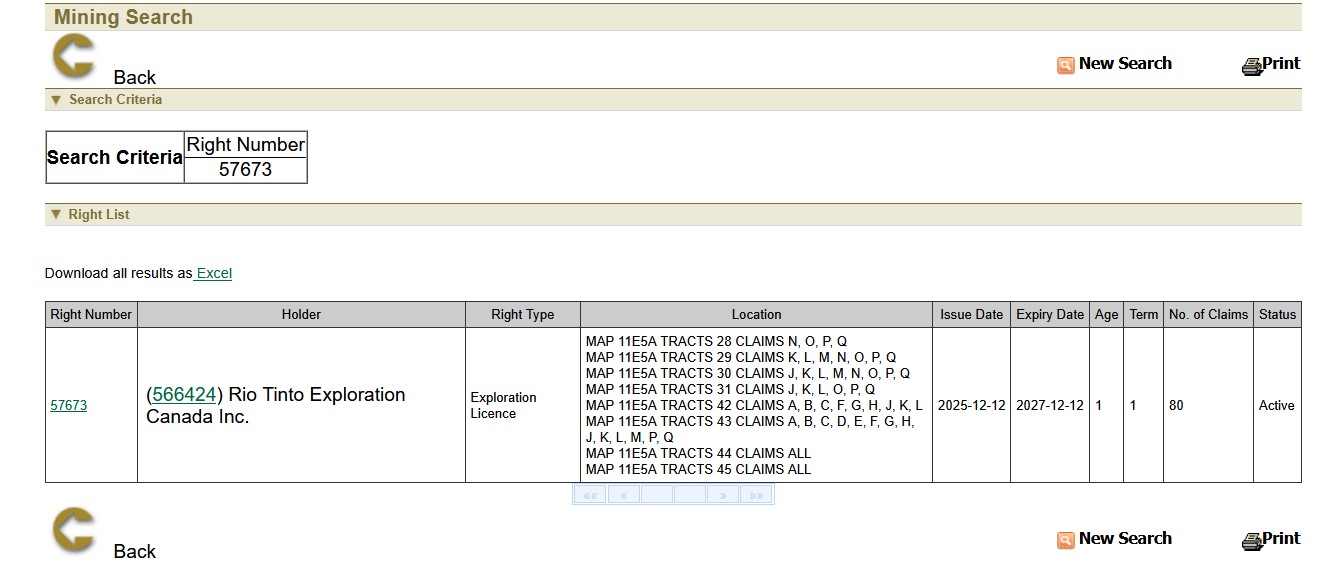
b. The search result will tell you who has the permit, how many claims are involved and where.
c. Click on the claims number (in brackets beside the company name). That will bring you to this form with more detailed company information.
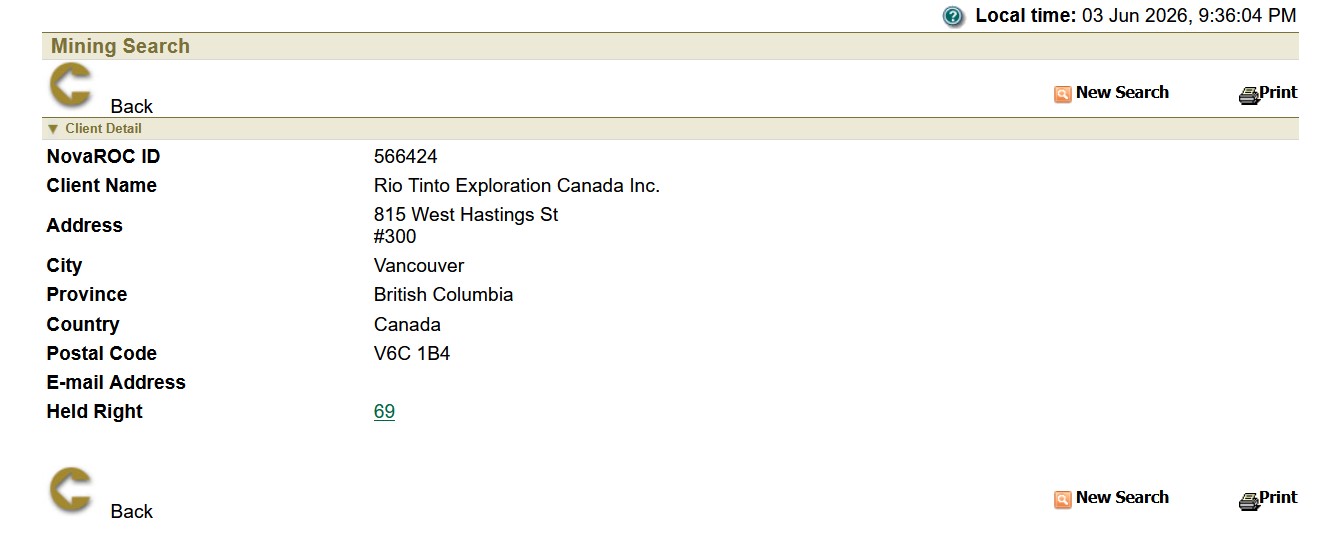
Registering with NovaRoc is free, but there really is no advantage to do so unless you intend to make a claim on your own property. This is possible, but it comes with obligations to actively explore for resources on your land. That will cost you $10.00 to register and $10.00 for each claim you stake. Renewing your claim will cost more. Details and instructions are available on the NovaRoc website. We hope this helps.